

December 2024

Meta’s Global Outage on December 11, 2024: What Happened and How Business Owners Can Prepare

2025-02-11T10:17:47+00:00

Overview of the Outage

Hey everyone, it’s Josh Iverson here. Let’s talk about the Meta outage that had a lot of us scratching our heads on December 11, 2024. Facebook, Instagram, and WhatsApp—three of the biggest social platforms—went dark for millions of users worldwide. This all kicked off around 12:50 p.m. Eastern Time. People reported issues accessing the apps, sending messages, and even just viewing content.
According to Downdetector.com, which tracks outages like this, over 96,000 Facebook users and more than 69,000 Instagram users flagged issues at the peak of the disruption. WhatsApp users weren’t spared either, with over 12,000 reports coming in about problems.

Regional Impact

The outage hit users around the world, from the U.S. to Europe, Asia, Australia, and South America. Some people couldn’t even load the apps, while others were stuck waiting on sluggish load times or couldn’t post anything.
Meta addressed the situation publicly. On X (formerly Twitter), they said:

“We’re aware that a technical issue is impacting some users’ ability to access our apps. We’re working to get things back to normal as quickly as possible and apologize for any inconvenience.”

Service Restoration

By later that afternoon, things started getting back to normal for most people. But for some, especially Instagram users, there were still issues with posting content. If this whole scenario feels familiar, it’s because we’ve seen it before. Remember back in October 2021 when all of Meta’s apps went down for six hours? Billions of people were affected that day. It’s another reminder of just how much the world relies on these platforms to stay connected.

How Business Owners and Marketing Professionals Can Minimize Impact

Outages like these can be frustrating, but they’re also a wake-up call for businesses and marketers. Here are a few steps you can take to minimize disruptions and keep your marketing efforts on track:

  • Diversify Your Marketing Channels: Don’t put all your eggs in one basket. While Facebook and Instagram are powerful tools, explore other platforms like LinkedIn, Google Ads, and even email marketing to ensure your reach isn’t entirely dependent on Meta.
  • Maintain a Multi-Platform Presence: Build and nurture your audience across several social media platforms. This way, if one goes down, you still have others to communicate with your customers.
  • Focus on Owned Assets: Make your website, blog, and email list key pillars of your marketing strategy. These are channels you fully control and won’t be affected by third-party outages.
  • Communicate During Disruptions: Use channels like your website or email newsletter to keep customers informed about updates and any potential impact on your services.
  • Partner With Experts: If you’re an iMedia client, talk to your agent or support assistant. We’re here to help you develop strategies that mitigate risks from unexpected outages like this one.

Impact on Small Businesses and iMedia’s Response

Here’s the part that’s close to home for us at iMedia. We’ve seen Facebook deliver some of the strongest lead performance for small businesses recently. Their ad platform is still one of the most powerful ways to drive growth, raise awareness, and keep customers engaged.
While a brief outage like this is frustrating, it’s a good reminder of why having a multi-channel marketing strategy is so important. If you’re an iMedia client and you’re wondering if this affected your campaign, just reach out. Talk to your iMediaSalesTeam agent or your support assistant, and we’ll make sure you’re covered. We’re here to help you stay on track.

Cause of the Outage

So, what caused all this? Well, Meta hasn’t spilled the details just yet. They’ve said they’re investigating the issue and will work to make sure it doesn’t happen again. Let’s hope they’re right.

How to Stay Updated

For those of you looking to stay in the know during outages like this, sites like Downdetector.com and Meta’s official social media channels are your best bet. They’ll give you real-time updates so you’re not left guessing.
Meta’s Global Outage on December 11, 2024: What Happened and How Business Owners Can Prepare2025-02-11T10:17:47+00:00

March 2023

Google Business Profile – Why Should You Care About it

2025-02-11T10:17:47+00:00

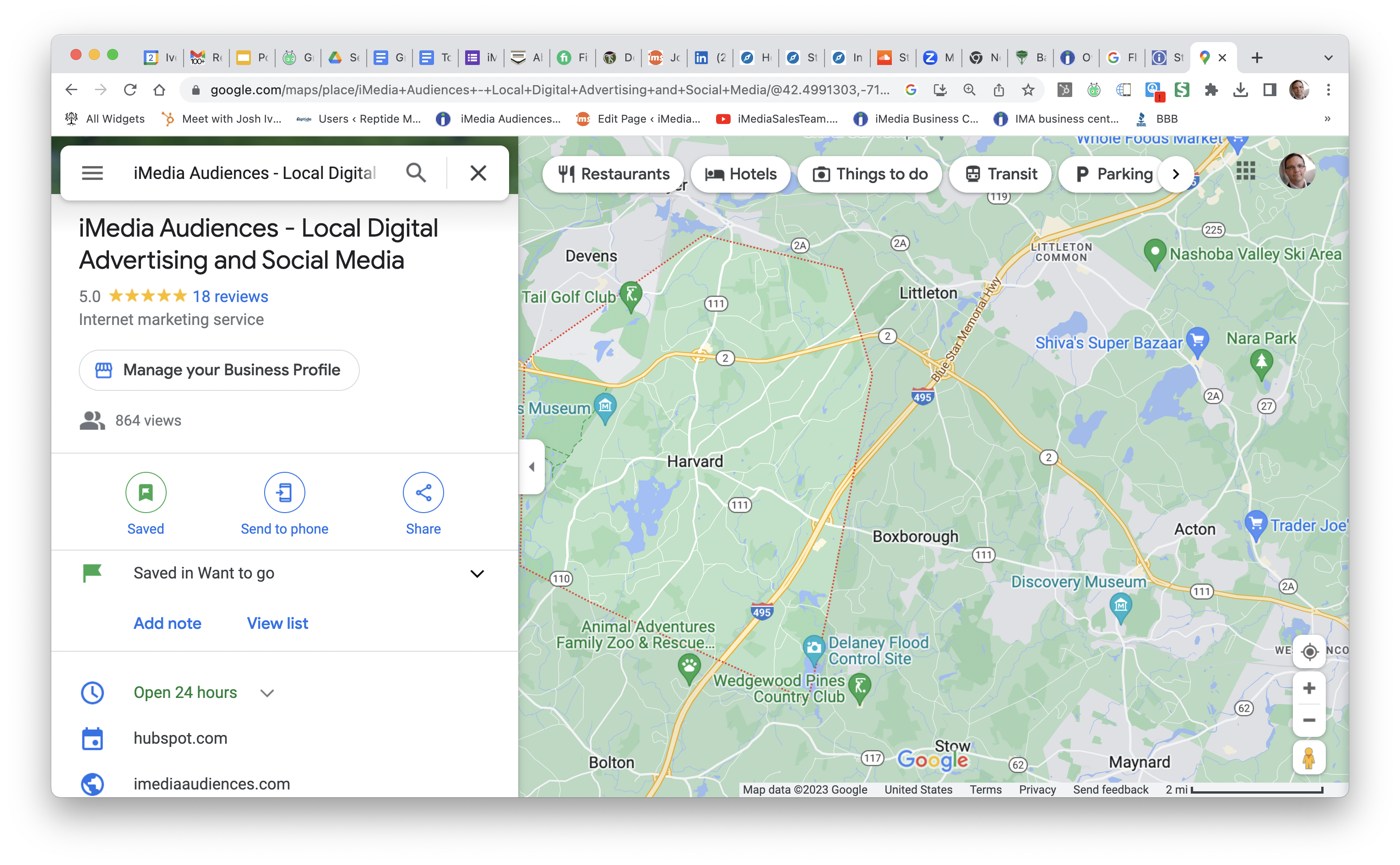
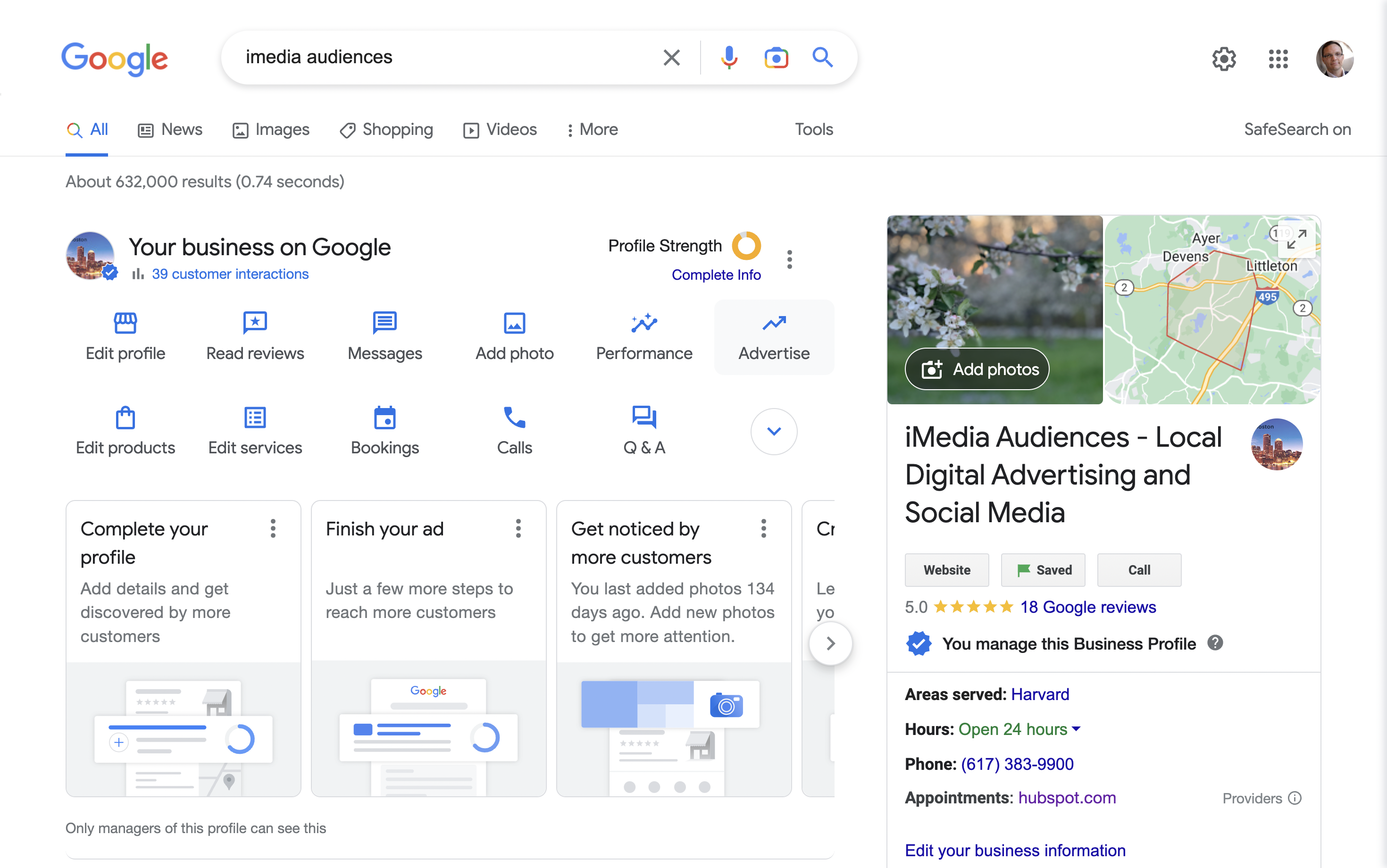
If you have a Google Business profile and Google Maps profile (formerly known as a Google My Business profile) for your business and it has suddenly disappeared, you may be wondering what happened. The good news is, it is likely a temporary issue that can be resolved in a few simple steps.

We’ve had a rush of services businesses and they are having their google business profiles removed because google disagrees with their ‘office location.’ Google makes mistakes and sometimes business owners do as well. Google wants to help customers find a business because it is good for Google’s business;)

Why should you care?

If you’re a business owner, having a business profile on Google can be hugely beneficial. In addition to allowing customers to find you more easily, having an up-to-date profile can enable them to learn more about the products and services you offer, and even help you display customer reviews and ratings.

Unfortunately, sometimes a Google business profile can disappear, leaving you without a way to list your business information. If this has happened to you, it’s important to take action quickly to get your profile back and get your business information synched across the web.

How to fix it?

First, it’s important to understand why your profile may have disappeared. Google Business is a powerful tool, and the company places a great deal of emphasis on accuracy and authenticity. If there is a discrepancy in the information you have provided or if your profile is flagged as suspicious, it may be removed from the platform.

If you believe your profile has been removed in error, you can take the following steps to get it restored:

  1. Check your email for any notifications from Google regarding your business. Google will send notifications if there is an issue with your profile and provide instructions for resolving it. Go to https://www.google.com/business/
  2. Contact Google Business Profile support directly. (just google it) You can do so through the Help Center or by emailing support@google.com.
  3. Recheck your profile. If your profile is still missing, try searching for it in the Google Business Profile dashboard. If your profile is restored, you can make any necessary edits and continue to manage your account.
  4. If your profile is still not visible, you may need to create a new one. Be sure to provide accurate information and follow the Google My Business guidelines to ensure your profile is not removed again.

In most cases, a missing profile can be restored quickly and easily. However, if you are unable to resolve the issue on your own, and you can’t figure out how to contact Google Business Profile support directly contact us and we can do it for you. We do charge for our services but you will get a refund if we can’t get your business profile set up and reclaimed.

In most cases, a missing profile can be restored quickly and easily. However, if you are unable to resolve the issue on your own, and you can’t figure out how to contact Google Business Profile support directly contact us and we can do it for you. We do charge for our services but you will get a refund if we can’t get your business profile set up and reclaimed.

Once you’ve claimed your Google business profile, you can then begin to synch your business listings across the web. This will help make sure that customers can easily find your business no matter where they’re looking. It will also make sure that your business information is accurate and up-to-date.

It’s also good to overwhelm the internet so Google Maps appears like they are the ones who have it wrong. Get your listings out there and Google won’t have a choice but to index you. This is harder with services businesses or companies using a PO box or shared office but it is possible.

To do this, you should use a service like Yext or Buiness Listings. These services will help you synch your business information across the web, including making sure it’s listed accurately on Google, Yelp, Bing, and other search engines and directories.

If you find that your Google business profile has disappeared, don’t wait to take action. Contact your iMediaAudiences or iMediaSalesTeam representative as soon as possible to get your profile back up and running. Once you’ve done that, use a service like Yext or Buiness Listings to synch your listings across the web and make sure your business information is accurate and up-to-date.

Google Business Profile – Why Should You Care About it2025-02-11T10:17:47+00:00
Go to Top